 Peter Seale's weblog
Firefox supports auto NTLM logins
A while back I came across this entry which surprised me: Firefox supports automatic NTLM authentication.
Now, you may be thinking, when is this useful?
- Many SharePoint sites (note: not all)
- Other ASP.NET sites that use NTLM authentication
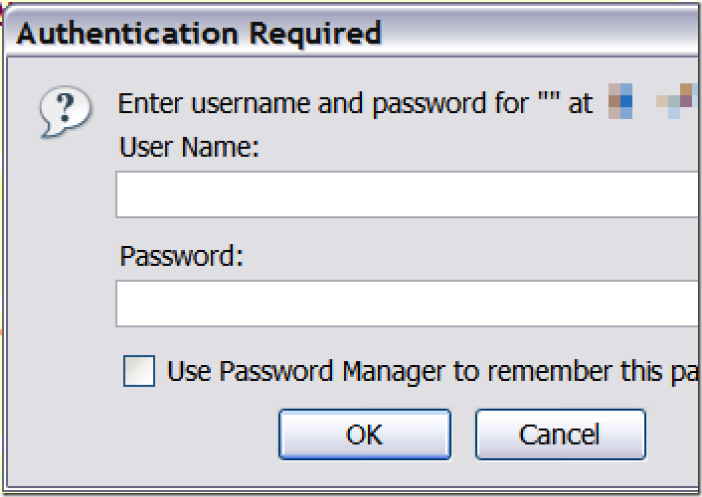
- IF YOU ARE TIRED OF SEEING THIS LITTLE GUY (image below):
A visual walkthrough
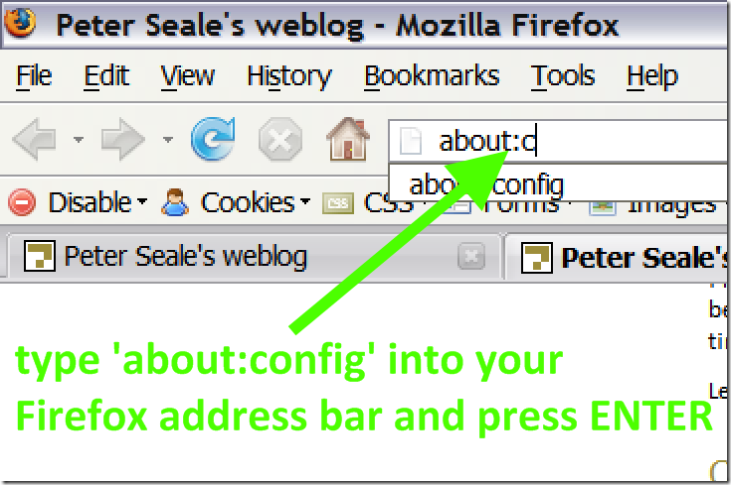
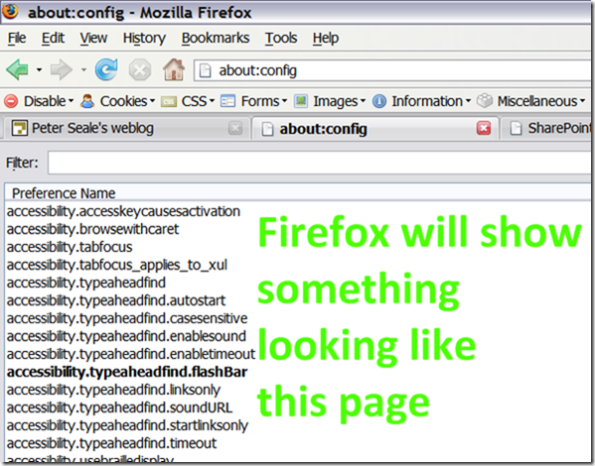
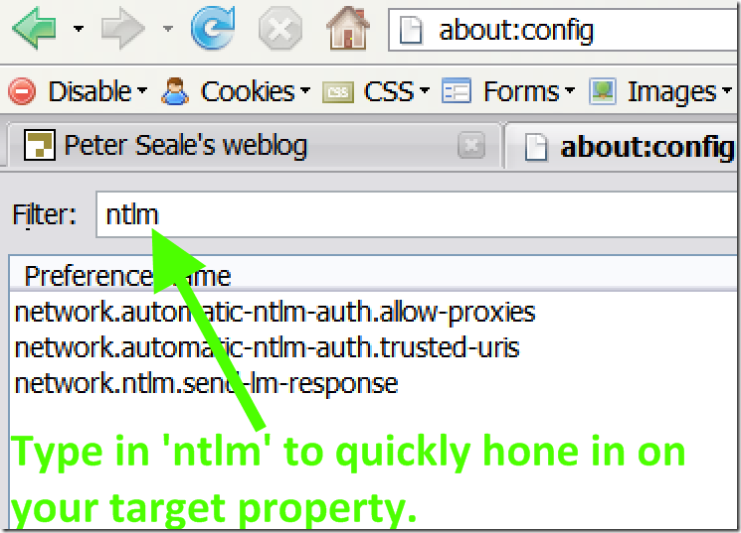
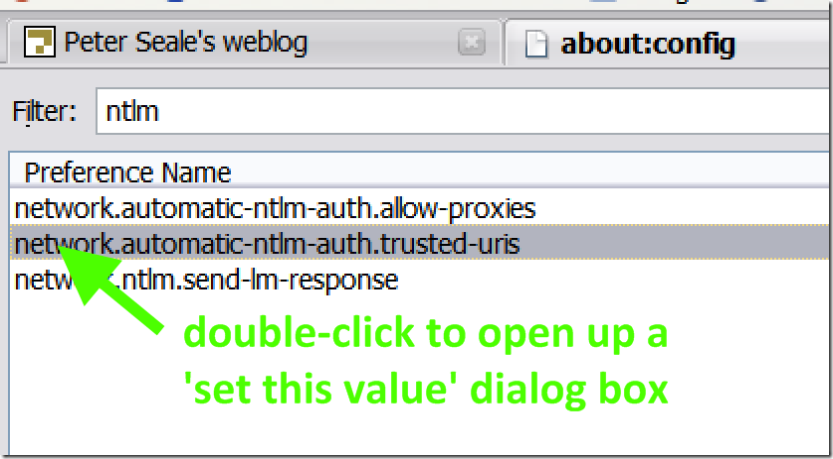
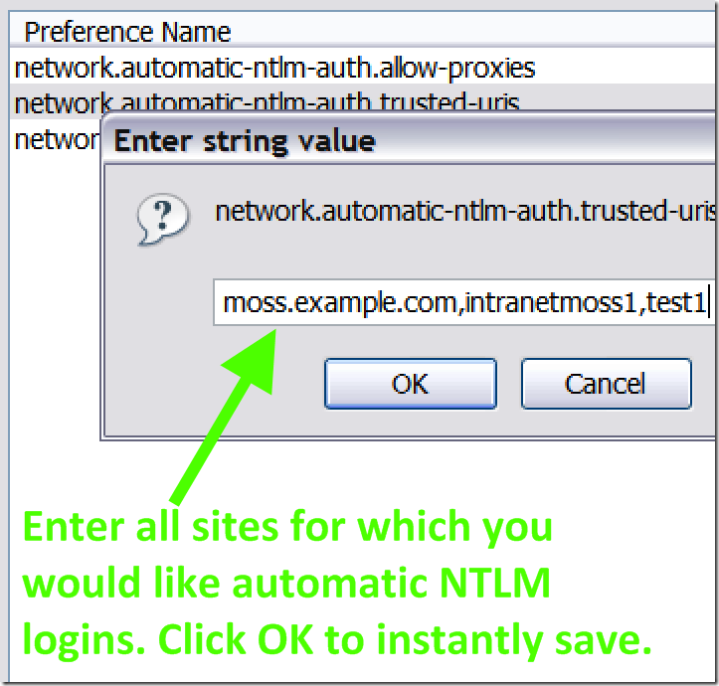
Please note that the trusted-uris list does not include any protocol prefix, i.e. you don't type http:// anywhere. Please also note that each site is separated by commas with no space in between.
Why Firefox for SharePoint development
This brings many of us to the question: but Peter, why do you bother with Firefox in the first place? I have two major reasons:
These two Firefox addins help immensely with various web design tasks (e.g. CSS detection/changing on the fly/tracing to source; resizing the browser window to emulate a smaller monitor; a pixel ruler; etc!). Internet Explorer has no comparable equivalent to many of the features these two addins provide. The bottom line is I absolutely need these Firefox-only addins.
Internet Explorer's place
By default I use Internet Explorer for SharePoint, only switching to Firefox when I need to use one of the tools mentioned above.
This post shouldn't be interpreted as "Peter uses Firefox all the time for SharePoint development," because I don't.